· SEO · 5 min read
How to Optimize Your Google Business Profile for the Morongo Basin
Your Google Business Profile is often the first thing people see when they search for local businesses. Here's how to make yours stand out in Joshua Tree, Yucca Valley, and beyond.
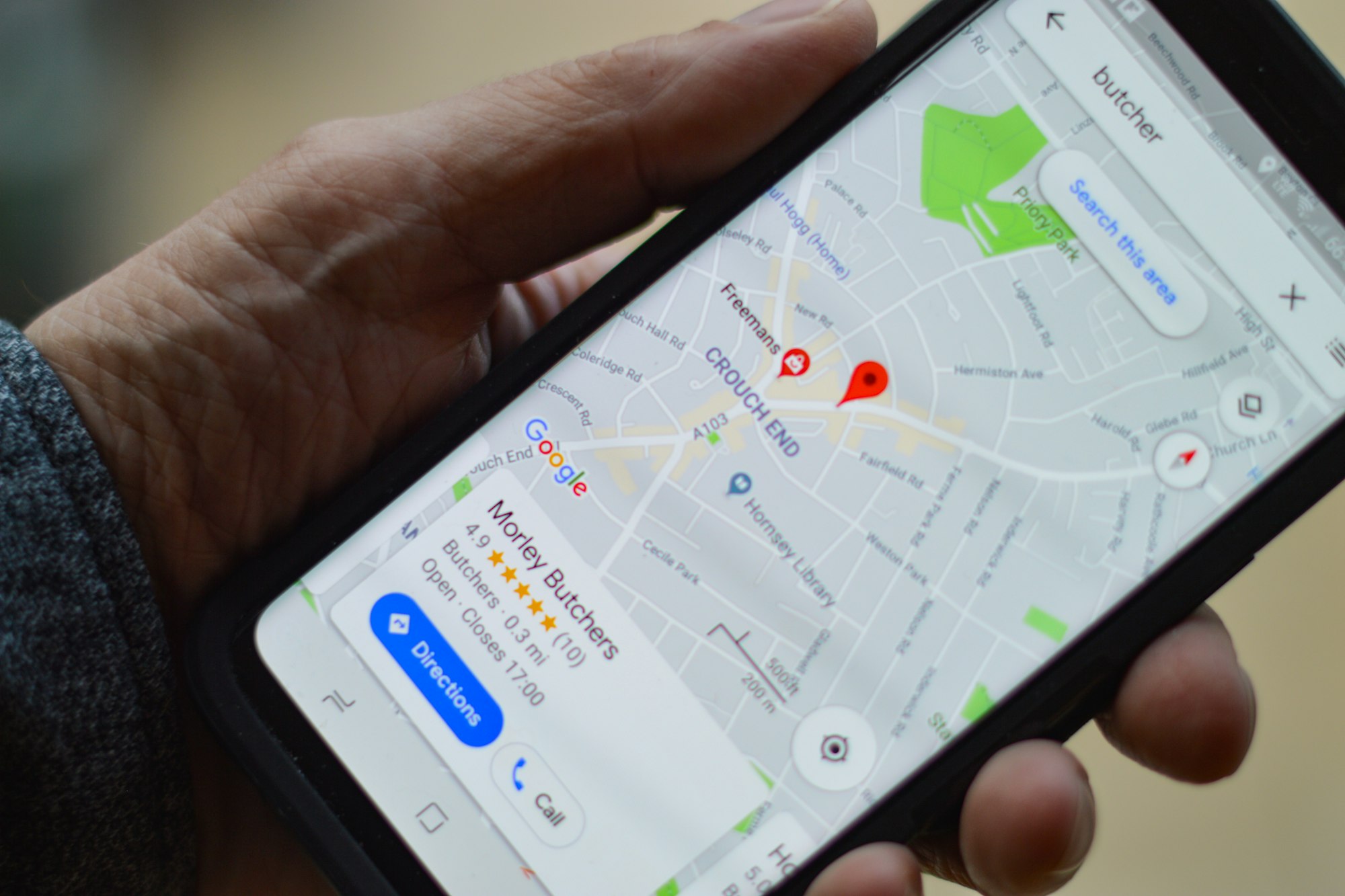
When someone pulls out their phone and searches for “coffee shop in Yucca Valley” or “auto repair near Joshua Tree,” Google doesn’t just show a list of links. It shows a map with a handful of local businesses — complete with photos, reviews, hours, and phone numbers. That’s the Google Business Profile (GBP) in action, and if you’re a business in the Morongo Basin, it might be the single most important thing you set up online.
The best part? It’s completely free. The catch? A lot of businesses either never claim their profile or set it up once and forget about it. Here’s how to do it right.
Step 1: Claim and verify your profile
If you haven’t already, go to business.google.com and either claim your existing listing or create a new one. Google will verify that you’re the actual owner, usually by sending a postcard with a code to your business address or by phone verification.
This step is non-negotiable. If you don’t claim your profile, you have zero control over what shows up when people find you on Google. Someone else might even claim it, or it could display outdated info.
Step 2: Fill out every single field
Google rewards completeness. Don’t skip the details. Make sure you fill in:
- Business name — exactly as it appears on your signage. Don’t stuff keywords in here; Google can penalize you for that.
- Address — use your real, physical address. If you serve customers at their location (like a mobile mechanic or home cleaner), you can hide your address and set a service area instead.
- Phone number — use a local number if you have one. A 760 area code signals “local” to both Google and to customers.
- Business hours — keep these current, especially around holidays. Nothing frustrates a customer more than driving to a closed business.
- Website URL — link to your website. If you don’t have one yet, that’s something to get on your list.
- Business description — write a clear, natural description of what you do and where you do it. Mention Joshua Tree, Yucca Valley, Twentynine Palms, or wherever you’re based. Be straightforward — this isn’t the place for marketing fluff.
Step 3: Choose the right categories
Google lets you pick a primary category and several secondary ones. Be specific. If you run a pizza restaurant, your primary category should be “Pizza Restaurant,” not just “Restaurant.” If you’re a hair salon that also does nail services, add “Nail Salon” as a secondary category.
The categories you choose directly affect which searches you show up for, so take a few minutes to get them right. Look at what your competitors are using for ideas.
Step 4: Add great photos — and keep adding them
This is where a lot of Morongo Basin businesses really miss an opportunity. People searching for local businesses look at photos. A lot. Google says businesses with photos get 42% more requests for directions and 35% more clicks to their website.
Upload photos of your storefront (so people can recognize it when they arrive), your interior, your products or services, and your team. If you’re in a visually beautiful area — and let’s be honest, the Hi-Desert is stunning — use that to your advantage. A photo of your shop with a Joshua Tree landscape in the background tells a story that words can’t.
Add new photos regularly. Even one or two a month keeps your profile looking fresh and active.
Step 5: Respond to every review
Every. Single. One. Good reviews, bad reviews, and everything in between.
When someone leaves a positive review, thank them by name and mention something specific about their visit if you can. When someone leaves a negative review, respond calmly, acknowledge their experience, and offer to make it right. Never get defensive.
Why does this matter? Because potential customers read those responses. A thoughtful reply to a bad review can actually build more trust than the review itself damages. And responding to reviews signals to Google that your business is active and engaged, which can help your ranking.
Step 6: Post regular updates
Most people don’t know this, but your Google Business Profile has a built-in posting feature — kind of like a mini social media feed. You can post updates about sales, new products, events, seasonal hours, or anything else worth sharing.
For a Hi-Desert business, this could be things like: “We’re extending our summer hours through October” or “Join us this Saturday for our monthly Pioneertown pop-up.” These posts show up right on your profile and help keep it active in Google’s eyes.
Aim for at least one or two posts a month. It doesn’t take long and it makes a noticeable difference.
Step 7: Keep your info accurate over time
Your Google Business Profile isn’t a “set it and forget it” thing. If your hours change, update them. If you move locations, update your address immediately. If you add a new service, add it to your profile.
Incorrect information erodes trust fast. If someone shows up at your old address or calls a disconnected number, you’ve probably lost that customer for good.
It’s free — take advantage of it
For small businesses in Joshua Tree, Yucca Valley, Twentynine Palms, and the rest of the Morongo Basin, a well-optimized Google Business Profile is one of the highest-impact, lowest-cost marketing tools available. It takes a couple of hours to set up properly and a few minutes a month to maintain.
If you want help getting your profile dialed in — or if you need a website to link it to — reach out to HoverState. We’re right here in the Morongo Basin and we’d love to help.